Got questions?
We’ve gathered the most common ones (and clear answers) here. For questions that aren’t covered, please contact us at support@alulu.io and we’ll get back to you as soon as possible.
About alulu
What is alulu?
alulu is an AI-powered learning incentivisation platform that rewards you with discounted digital gift cards as you make progress in your learning. It integrates with your learning platform (LMS) via a secure API connection and uses artificial intelligence to review your activities, track your progress, and build a personalised set of behavioural nudges designed to help you develop positive, sustainable learning habits.
As you reach learning milestones, alulu gives you access to discounted gift cards from well-known brands—including Adidas, Nike, Costa, Starbucks, Tesco, IKEA, Spotify, Xbox, and many more—so your commitment to learning delivers real, tangible savings.
How is alulu different from a standard rewards programme?
Unlike simple points-based reward systems, alulu is grounded in Self-Regulated Learning (SRL) theory and behavioural science. Rather than just tracking completions and awarding points, alulu’s AI analyses your individual learning behaviour and delivers personalised nudges to encourage the development of self-directed study habits.
The goal is not just to reward you for finishing courses—it’s to help you build the kind of consistent, effective learning behaviour that leads to long-term knowledge retention and skill development.
Research-backed: alulu’s approach draws on established academic research in Self-Regulated Learning theory and gamification principles to support meaningful, sustainable learning behaviour change.
Getting started
How do I access alulu?
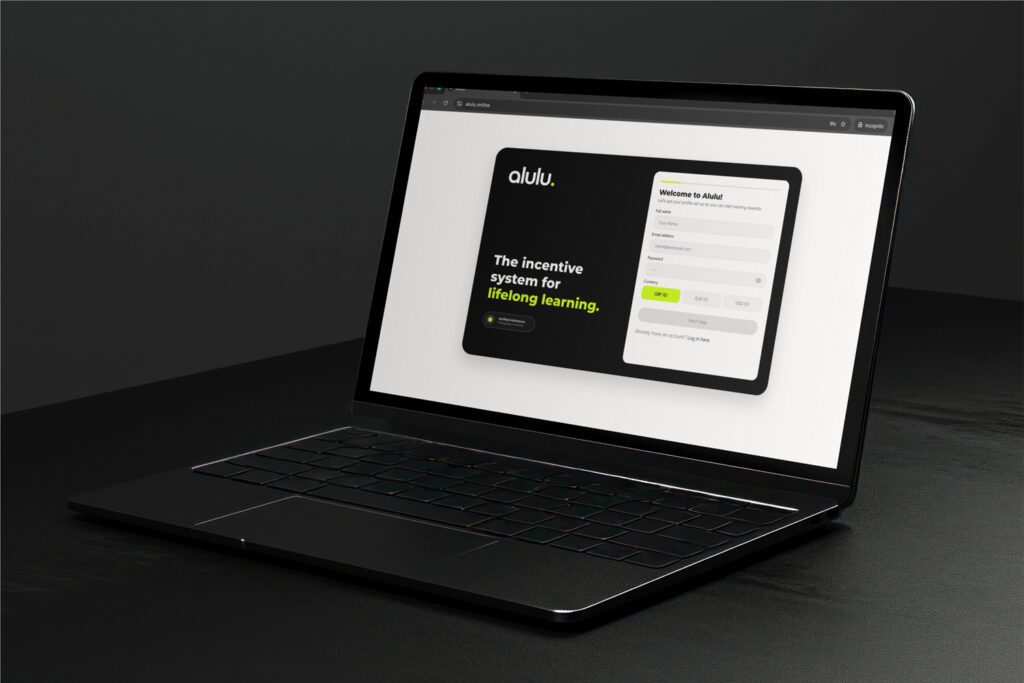
alulu is accessed through its own dedicated website at alulu.io. You will need to create an account the first time you use alulu. Once you have your login credentials, simply visit the site, enter your login and password, and click Continue to sign in and begin browsing rewards.
Is there an onboarding process?
Yes. When you first sign up, alulu will guide you through a detailed onboarding process. This is a key part of how alulu personalises your experience. During onboarding, you’ll be asked about your learning goals, preferences, and habits. This information allows the AI to tailor its behavioural nudges and milestone targets specifically to you.
You can revisit the onboarding process at anytime to reconfigure your preferences
Tip: Take your time during onboarding and answer thoughtfully—the more accurate your responses, the better alulu can personalise your learning journey and reward milestones.
Which learning platforms does alulu work with?
alulu integrates with learning management systems (LMS) via API. Your organisation’s LMS will connect with alulu so that your course progress and activity data are automatically synced. You do not need to manually log your learning—alulu handles this for you in the background while keeping your personal data safe, secure and anonymous always.
How alulu works
How does alulu track my learning?
With your permission, alulu’s AI connects to your learning platform via a secure API integration. It reviews your learning progress and activities—such as course completions, engagement patterns, and study consistency—to build a detailed picture of your learning behaviour. This data is used exclusively to personalise your experience and determine when you’ve reached reward milestones.
What are behavioural nudges?
Behavioural nudges are personalised prompts and reminders designed to encourage positive learning habits. Based on your individual onboarding profile and ongoing activity, alulu’s AI delivers these nudges through multiple channels—including in-app notifications and email—at times and in ways most likely to support your learning goals.
These nudges are not generic reminders. They are informed by Self-Regulated Learning (SRL) theory and adapted to your specific behaviour patterns, helping you build the self-discipline and study routines that lead to sustained learning success.
How do I earn rewards?
alulu uses a milestone-based reward system. As you progress through your learning and hit personalised milestones—set by the AI based on your goals and activity—you unlock access to the Rewards Hub. These milestones are designed to be meaningful and achievable, encouraging consistent engagement rather than one-off cramming.
The key is sustained, regular learning. alulu rewards the habits and behaviours that lead to genuine knowledge acquisition, not just course completions.
Rewards & shopping
What rewards can I unlock through alulu?
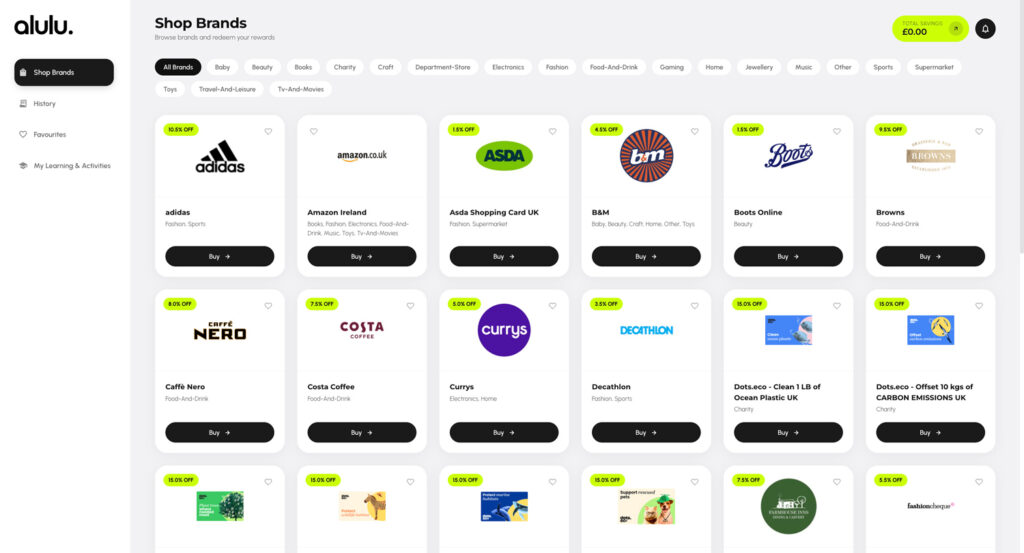
alulu gives you access to discounted digital gift cards from a wide range of well-known brands. Each brand offers a specific discount percentage—meaning you pay less than the face value of the gift card. For example, an Adidas gift card comes with an 8.0% discount, Costa offers 7.5% off, and Starbucks provides 7.5% off.
Brands are organised into categories including Fashion, Food & Drink, Gaming, Home, Music, Sports, Supermarket, Travel & Leisure, and more—so there’s something for everyone.
How do I buy a gift card?
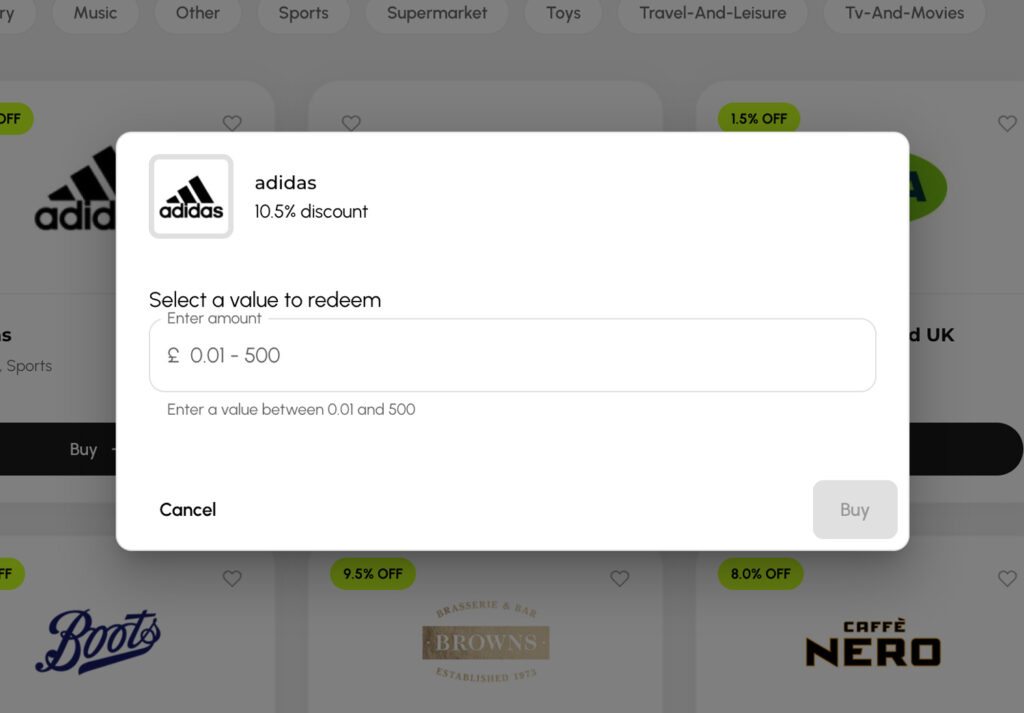
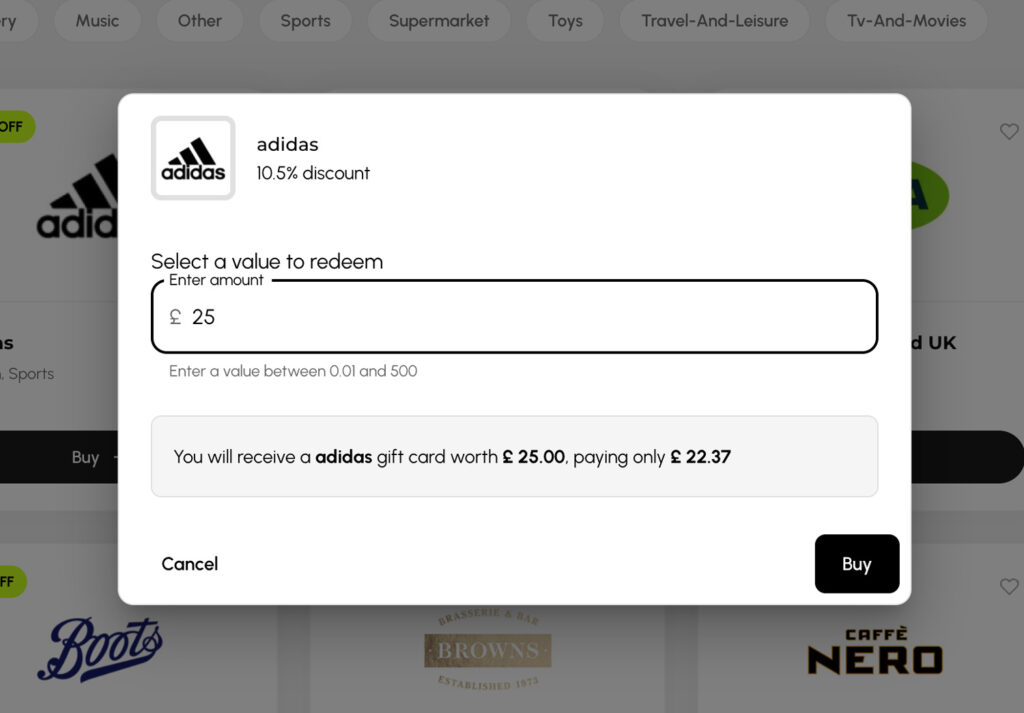
Purchasing a discounted gift card through alulu is simple:
- Go to the Shop Brands page and browse by category or view All Brands
- Click the Buy button on the brand you’d like
- Enter the gift card value you want (e.g. between £0.01 and £500 depending on the brand)
- Review the summary showing the face value and your discounted price
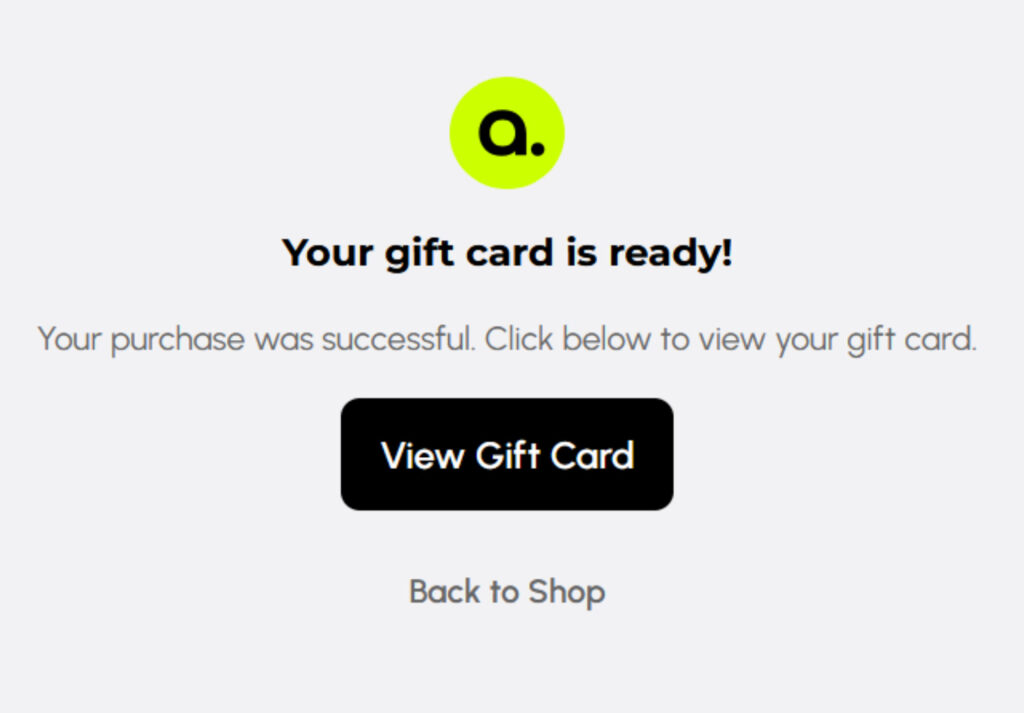
- Click Buy to confirm—your digital gift card will be generated instantly
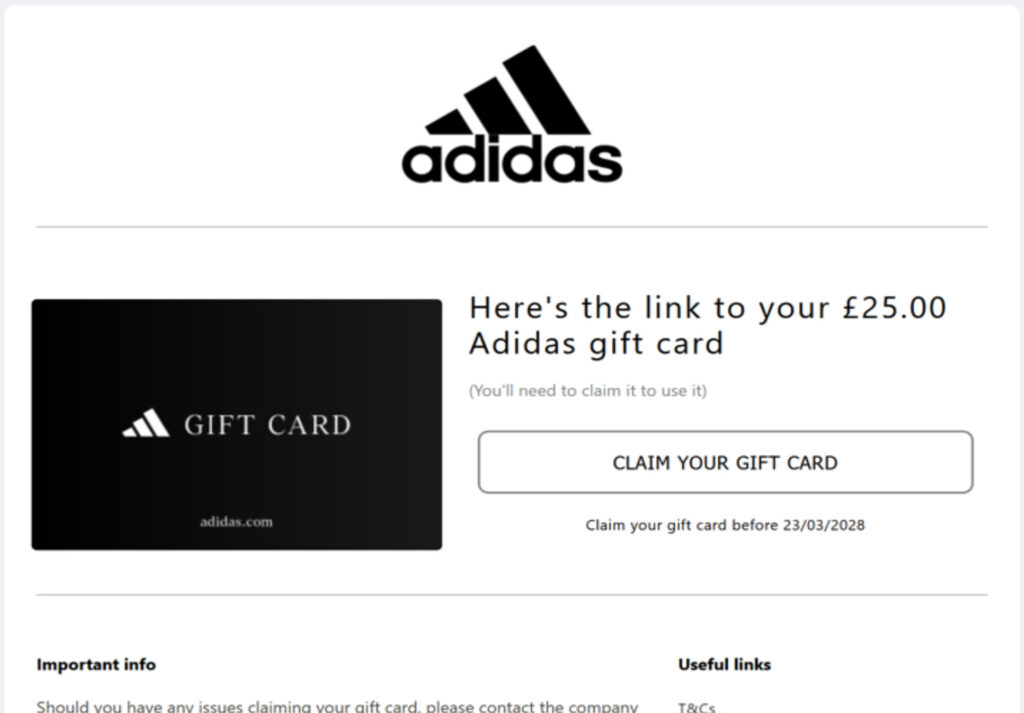
- Click View Gift Card to claim your gift card and follow the link to use it
What is the Total Savings tracker?
The Total Savings figure displayed in the top-right corner of the alulu platform shows the cumulative amount you’ve saved through discounted gift card purchases. Every time you buy a gift card at a discount, the saving is added to your running total—so you can see exactly how much value your learning has delivered.
Can I save my favourite brands?
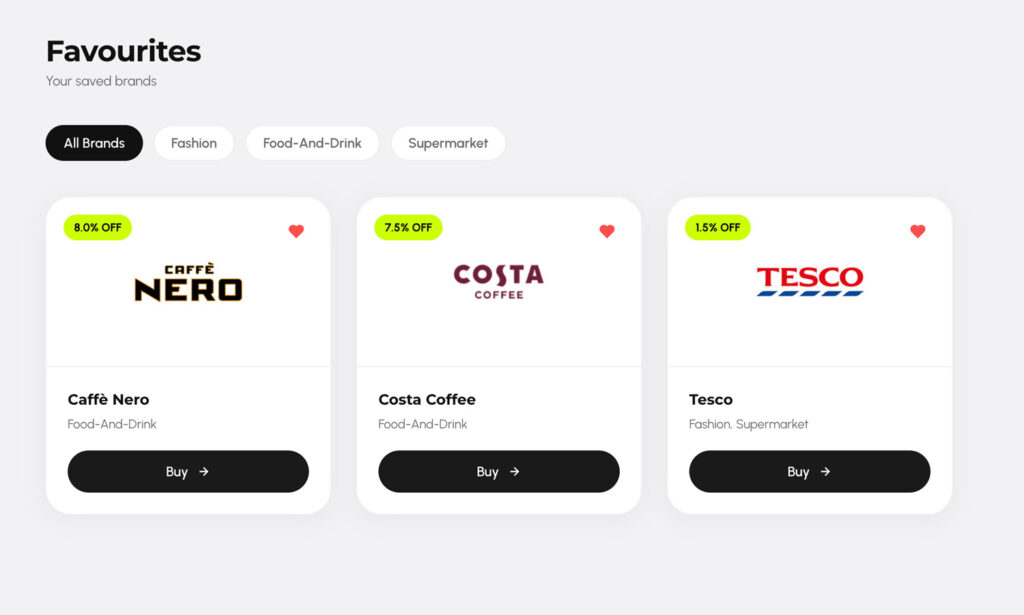
Yes. Each brand card has a heart icon that you can tap to save it as a favourite. Your saved brands will appear on the Favourites page for quick access, so you can find and buy from your preferred brands without scrolling through the full catalogue.
Where can I see my past purchases?
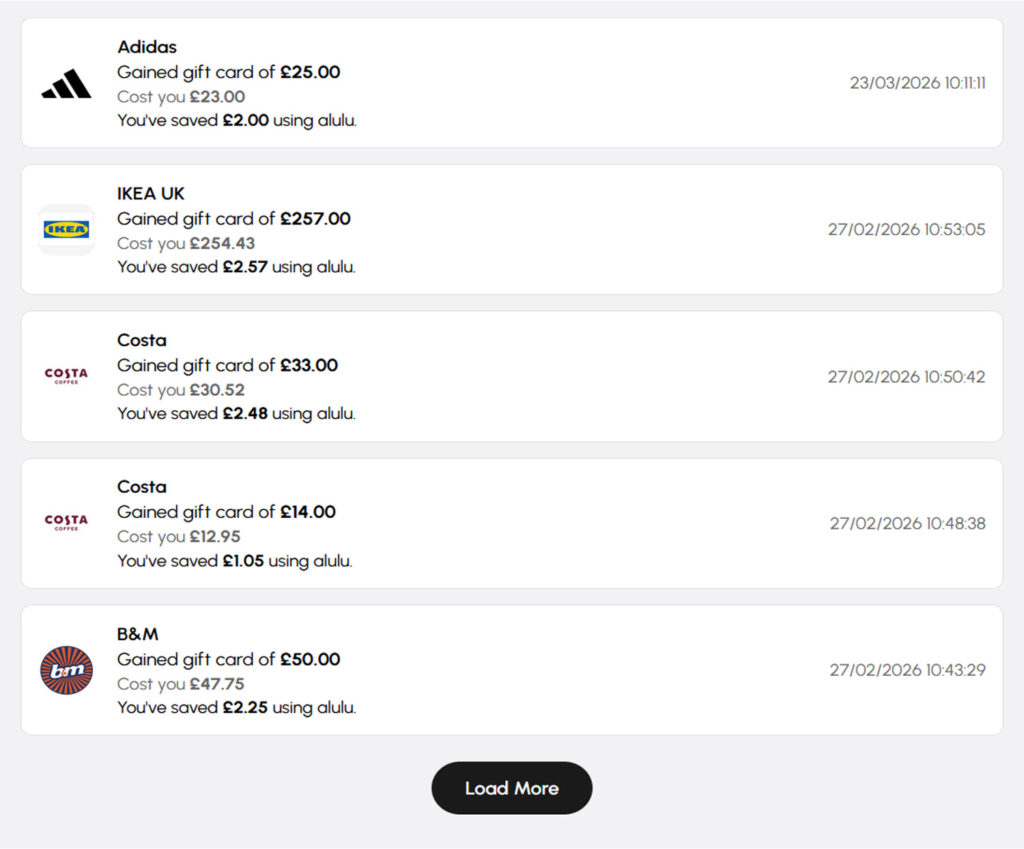
The History page shows a complete record of all your gift card purchases. Each entry displays the brand, the gift card face value, what you actually paid, and how much you saved using alulu. Transactions are listed with dates and times so you can track your activity.
Please note: All gift card purchases are final and cannot be reversed or refunded. Gift cards are not exchangeable for cash. Please check the value and brand carefully before confirming your purchase.
Your data & privacy
What data does alulu collect?
alulu collects data related to your learning activities and progress from the integrated LMS, as well as the information you provide during onboarding (such as your learning goals and preferences). This data is used exclusively to personalise your experience, deliver relevant behavioural nudges, and determine your reward milestones.
alulu does not collect data beyond what is necessary to deliver its service, and your information is never sold to third parties.
How is my data protected?
Your privacy is a priority. alulu uses secure, encrypted API connections to integrate with your LMS, and all personal data is handled in accordance with applicable data protection regulations. You have control over your data—alulu only accesses your learning information with your explicit consent, granted during the onboarding process.
Your consent matters: alulu operates on an opt-in basis. The AI only reviews your learning data after you have provided explicit consent. You can review what data alulu accesses and update your preferences at any time through your account settings.
Can I delete my data?
Yes. If you wish to have your data removed from the alulu platform, please contact support@alulu.io with your request. alulu will process data deletion requests in accordance with applicable data protection legislation.
Troubleshooting & support
My learning progress isn’t updating.
What should I do?
alulu syncs with your LMS via API, and there may occasionally be a short delay before your latest activity appears. If your progress has not updated after a reasonable period, try the following:
- Ensure the course or activity is marked as fully completed in your LMS
- Log out of alulu and log back in
- If the issue persists, contact alulu support with details of the course and your username
I’m not receiving any nudges. Is something wrong?
Nudges are delivered through multiple channels including in-app notifications and email. If you’re not receiving them:
- Check your email spam or junk folder for communications from alulu
- Verify your notification preferences in your alulu account settings
- Ensure your email address is correct and up to date in your profile
I’m having trouble logging in. What should I do?
If you’re unable to log in, first check that you’re using the correct email address and password. If you’ve forgotten your password, click the “Forgot password?” link on the login page to reset it. If you continue to experience issues, contact alulu support for assistance.
How do I get in touch with alulu support?
If you have a question that isn’t answered here, or you’re experiencing a technical issue, please reach out to us at support@alulu.io. We’ll do our best to get back to you as soon as possible.
Need Support?
We’ve got you covered. Contact our team at support@alulu.io and we’ll be in touch to assist you.